 KiraLocum
Every session, every ringgit. Tracked automatically.
Log a session in seconds and KiraLocum works out what you're owed, makes the invoice, reminds you when a clinic is late to pay, and keeps a running total of every ringgit collected.
Everything your locum earnings need, in one place
One running ledger, from the moment you log a session to the day you get paid.
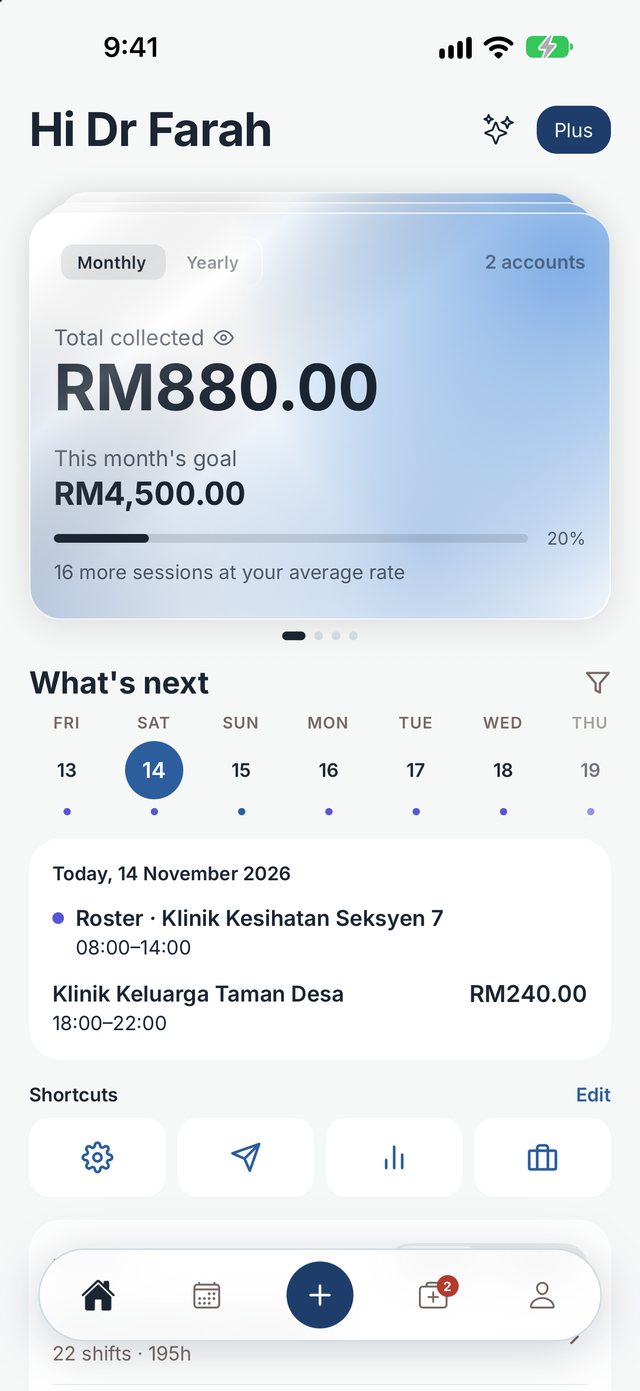
Every session, tracked automatically.
See what's booked, what's owed, and how close you are to this month's goal, all on one screen.
- ✓ Log a session in seconds: clinic, hours, rate
- ✓ Gross pay computed automatically from rate cards
- ✓ Transport, fuel, parking and toll added to a session
- ✓ A month-by-month goal, with a live progress bar
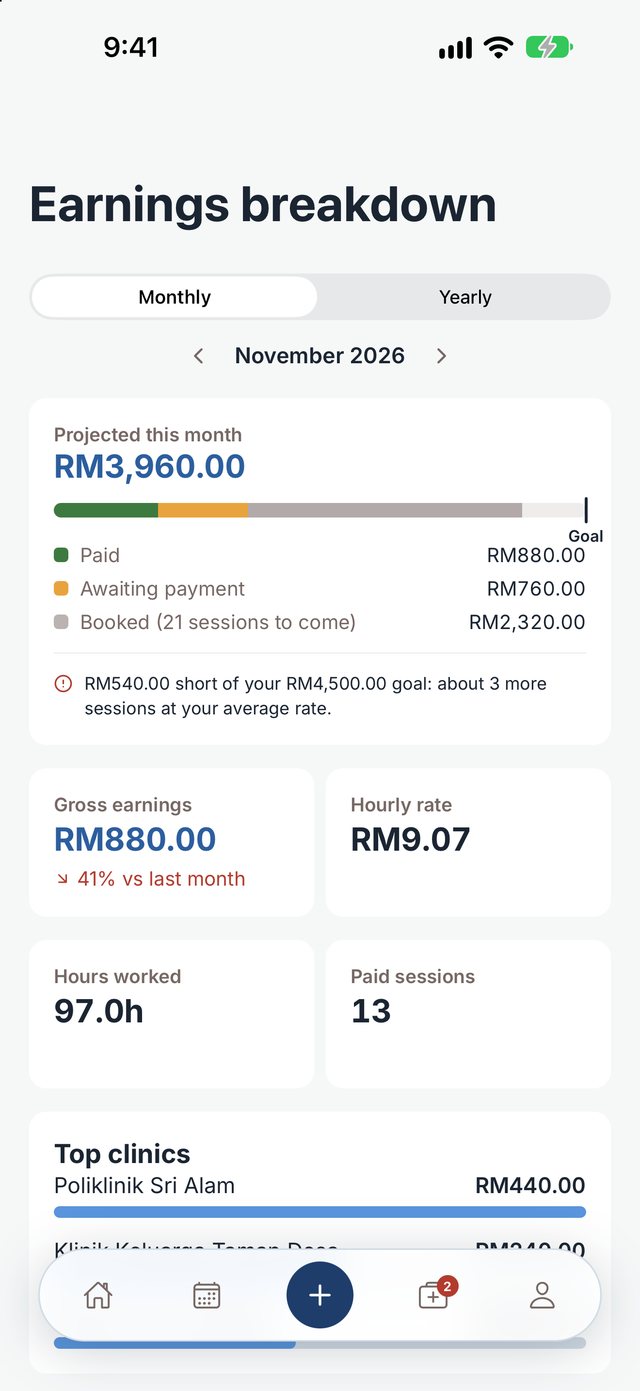
Watch your earnings build, month by month.
See what's paid, what's awaiting payment and what's booked, against this month's goal.
- ✓ This month's projection from the sessions you've booked
- ✓ Your real hourly rate, hours worked and top clinics
- ✓ Monthly or yearly, one tap to switch
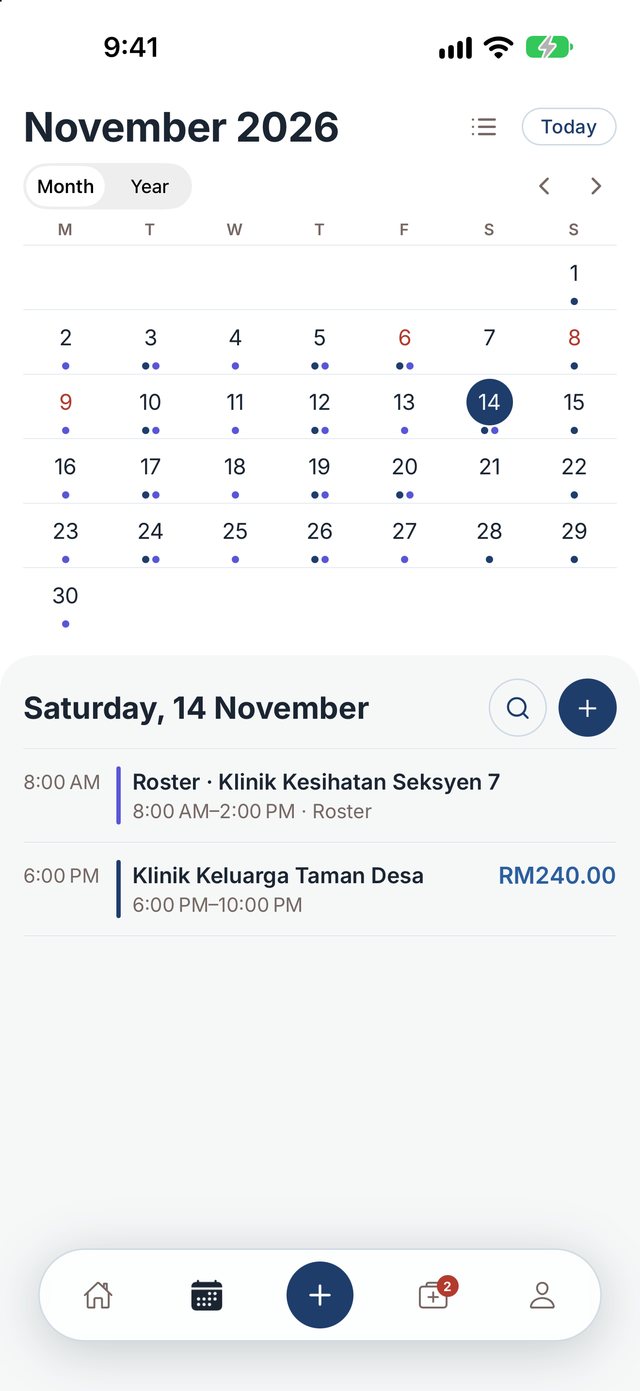
Synced with your phone's calendar.
Sessions and events in one grid: nothing double-booked, nothing missed.
- ✓ Reads your calendar for anything that looks like a session
- ✓ Imports as a draft: nothing added without your say-so
- ✓ Writes back to its own dedicated calendar, never touching the rest
- ✓ Malaysian public holidays, and search across your whole calendar
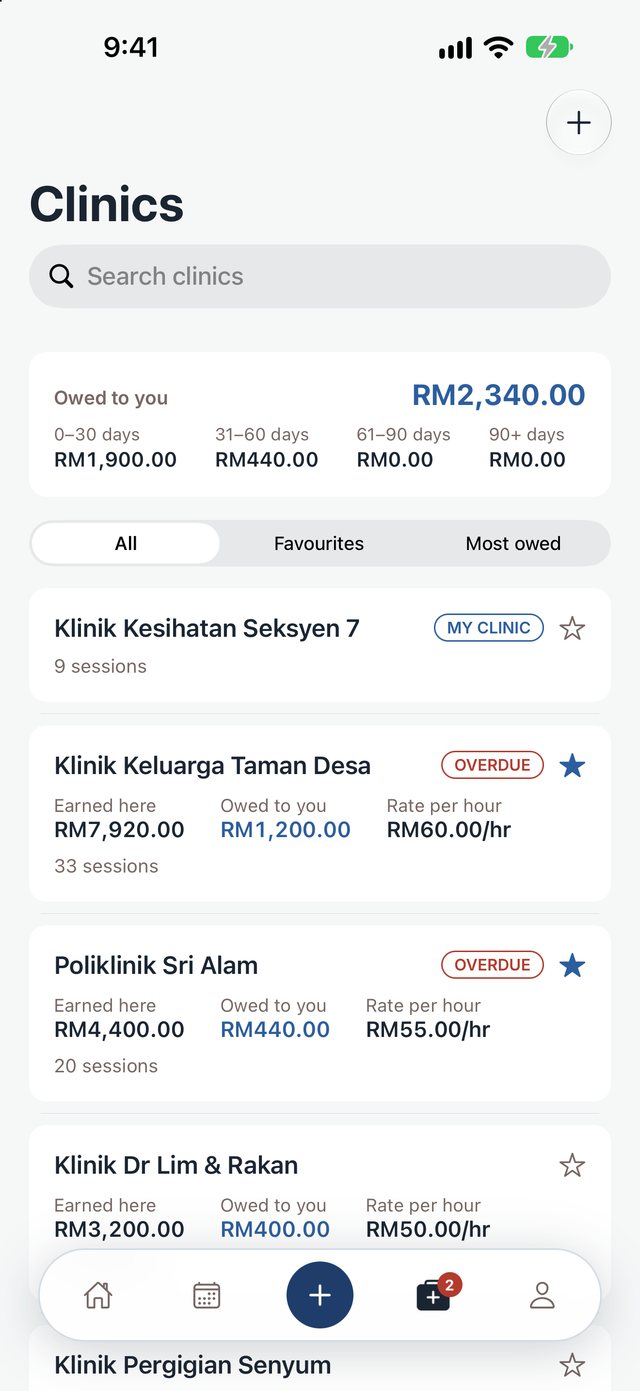
Know exactly who owes you.
Outstanding payments aged into 30/60/90-day buckets, and each clinic's own average time to pay.
- ✓ See who's reliable, with a reminder when a clinic is late to pay
- ✓ Message the clinic on WhatsApp or Telegram in one tap
- ✓ Rate cards remember each clinic's hourly or flat rate
- ✓ Favourite the clinics you work with most
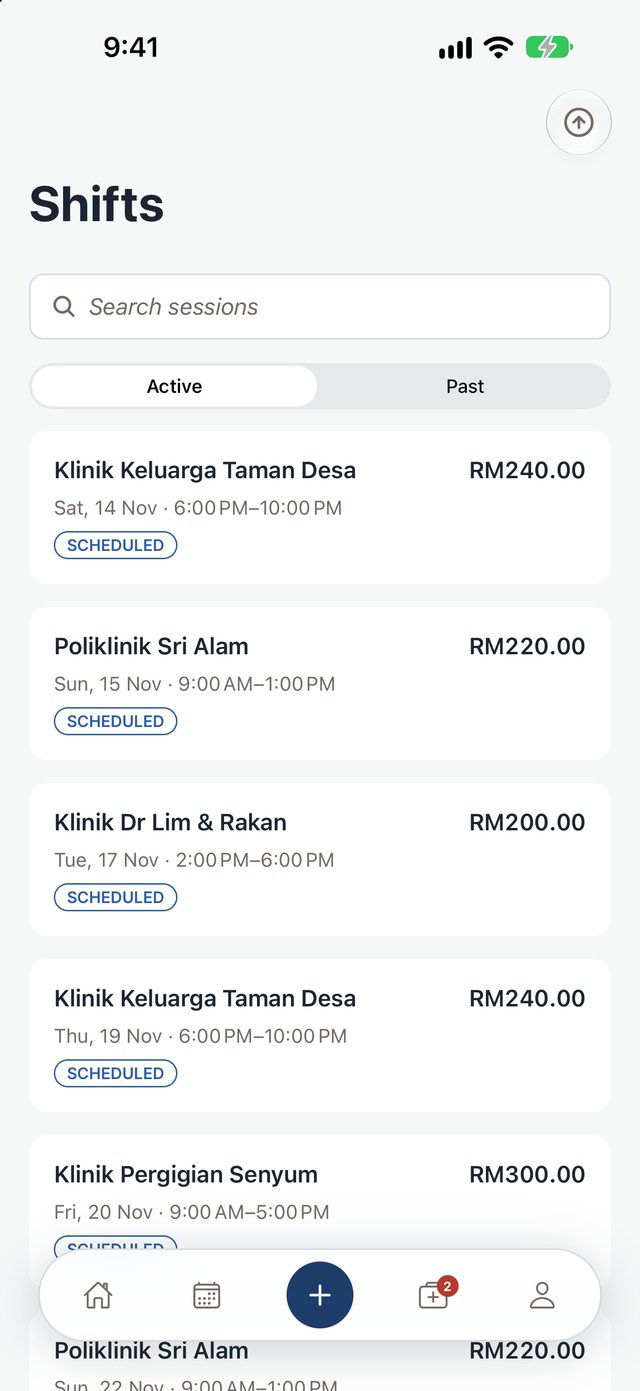
Every shift, paid or not, in one ledger.
Clinic, date, hours, and status. Logged the moment you work, not reconstructed at tax time.
- ✓ Active and Past tabs, filtered at a glance
- ✓ Mark a session paid the moment it clears
- ✓ Attach a voucher photo: kept on your device, never uploaded
Made for how you're actually paid
Hourly, per case, by commission or on a roster. In English or Bahasa Melayu.
-
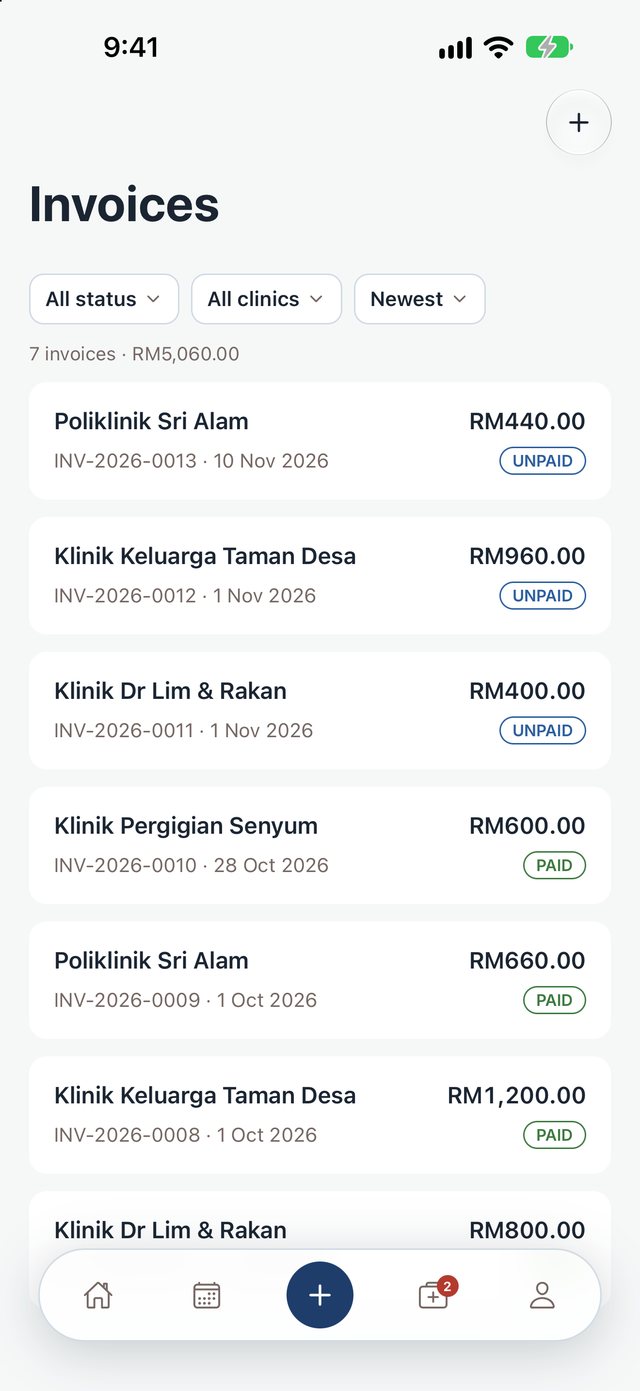
Invoices in a tap Plus
Pick one session or a month of them and KiraLocum makes the invoice, ready to send as a PDF or image.
-
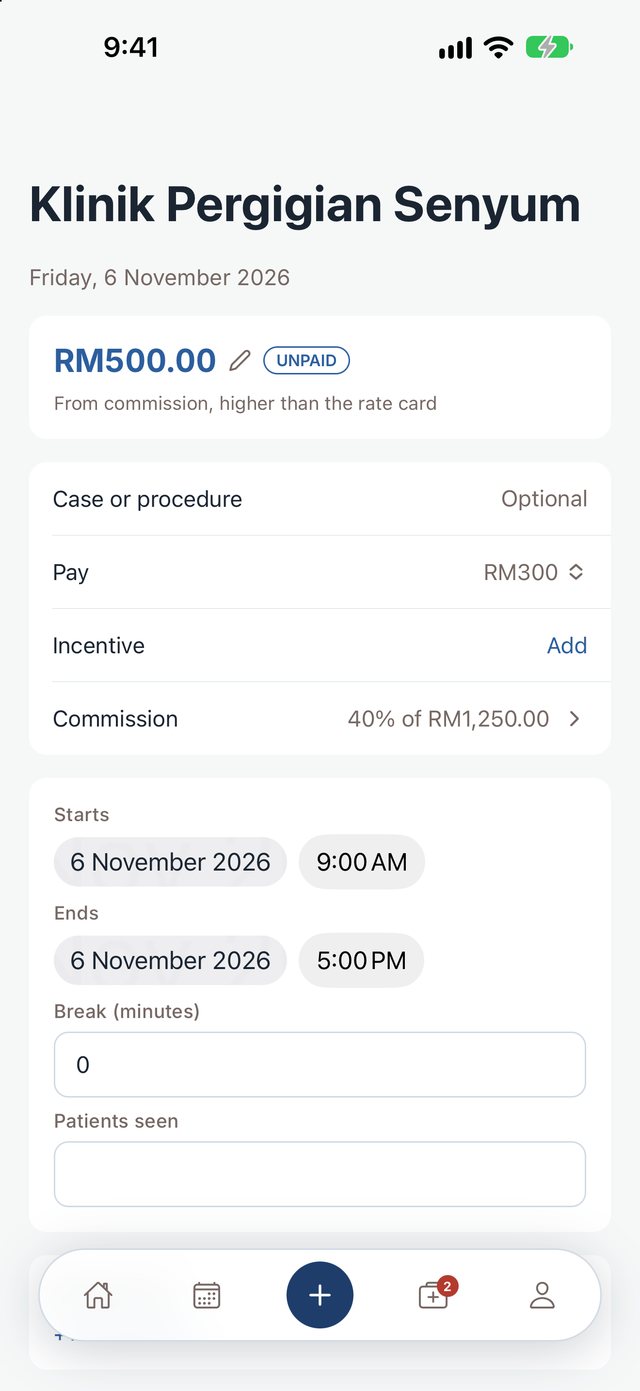
Paid per case or by commission
For dentists: enter the day's sales and get whichever is higher, the rate card or your commission.
-
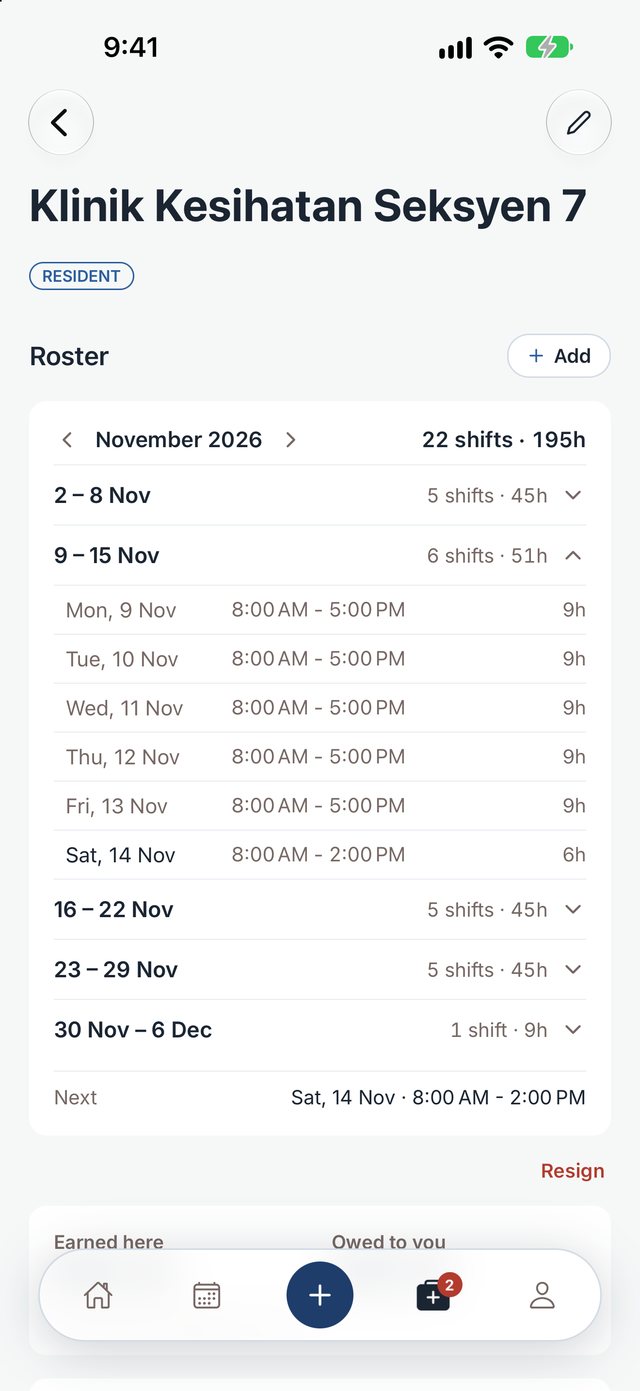
Rosters for MOs and residents
Paste a schedule from WhatsApp or import an Excel or Google Sheets roster. A month of shifts goes in at once.
-
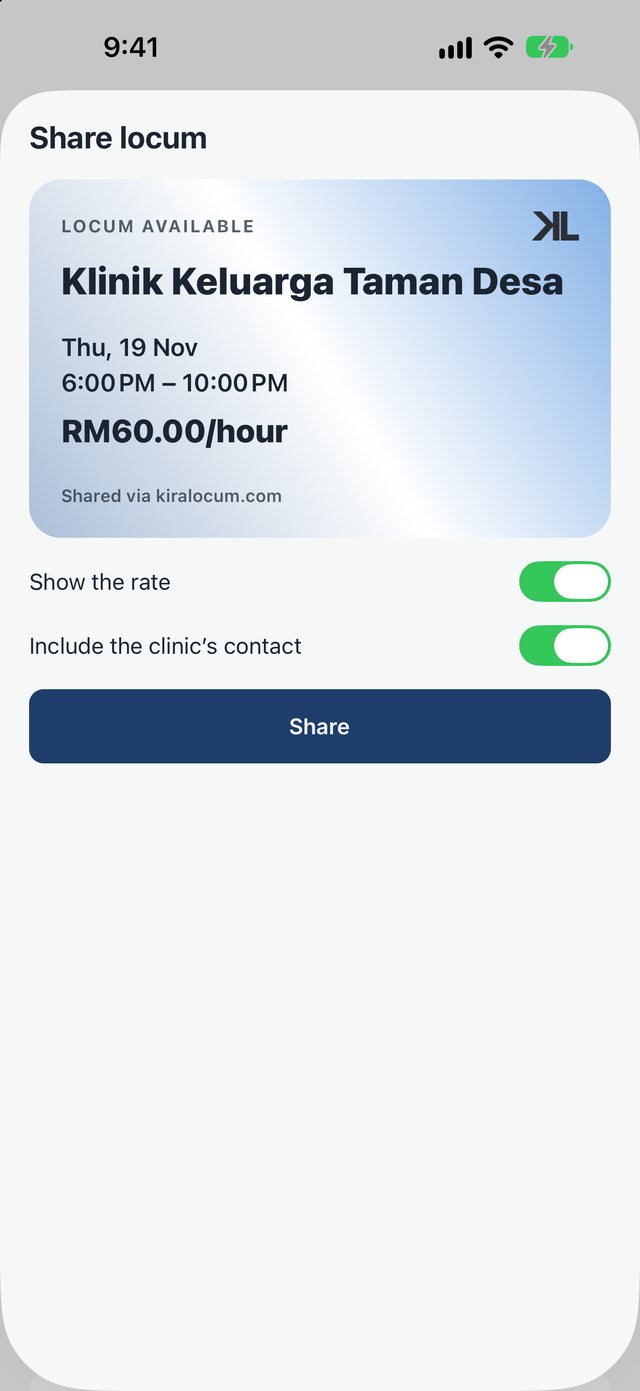
Find cover fast
Can't make a session? Share a "Locum available" card with the clinic, date, time and rate to your group chats.
-
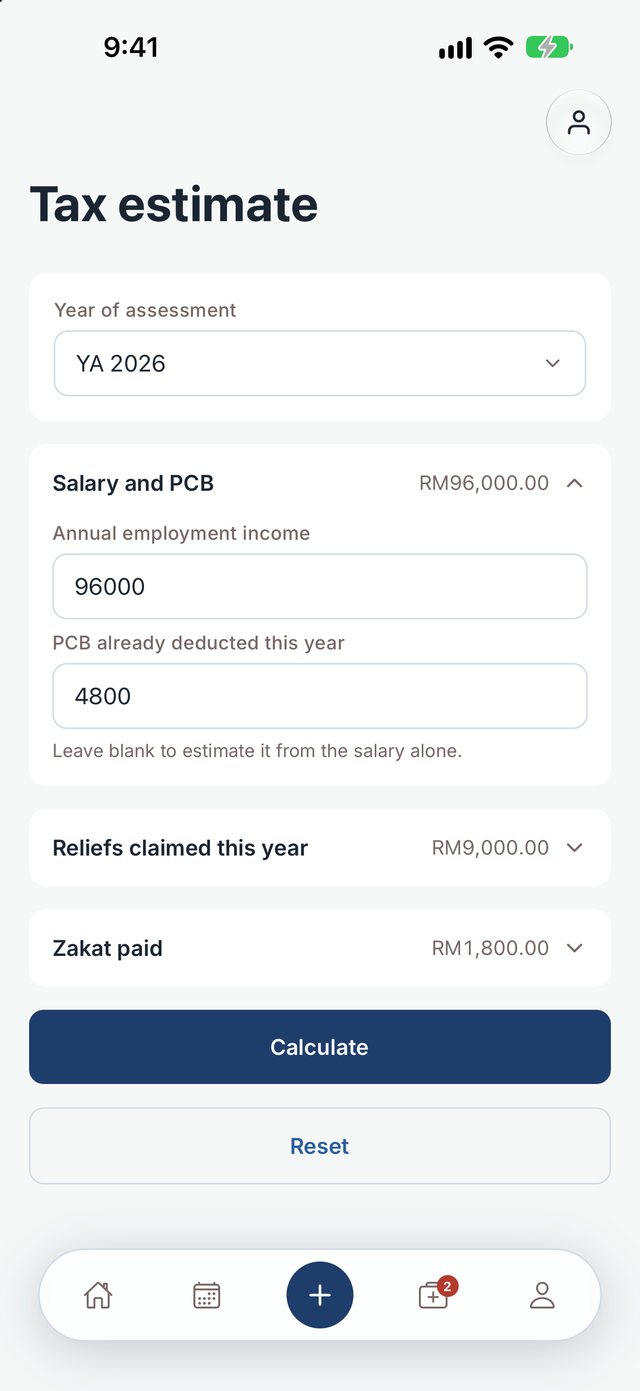
Tax estimate, with zakat Plus
Estimate what to set aside for the year of assessment, with salary, PCB, reliefs and zakat taken into account.
-
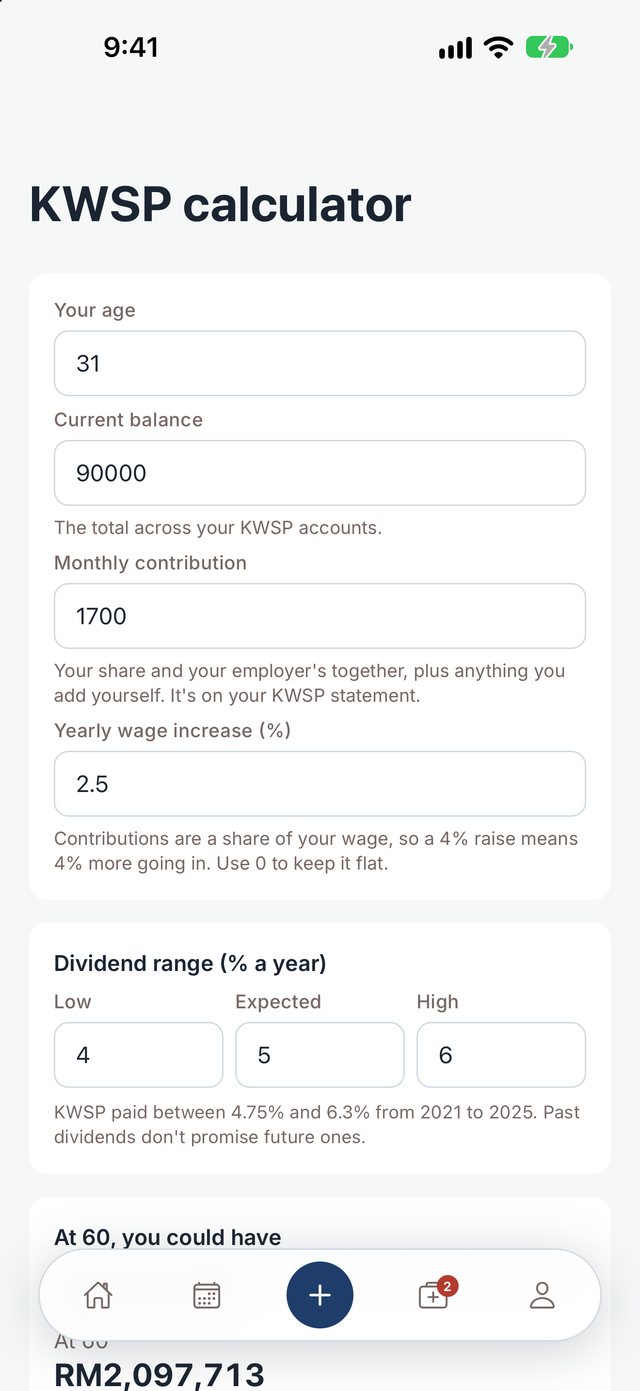
KWSP calculator
Chart what your KWSP savings could reach by 60, with your contributions and yearly wage increases.
-
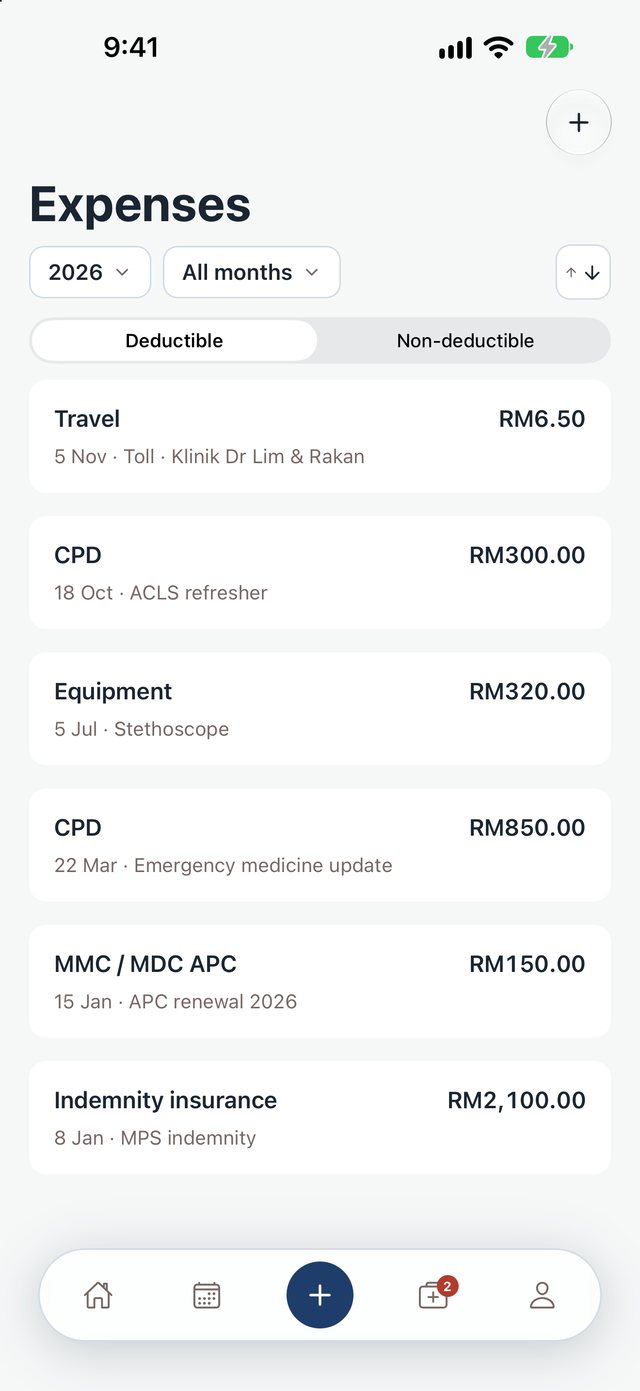
Expenses, filed as you go
Indemnity, APC renewal, CPD courses, travel and equipment, logged against the year with a receipt photo.
-
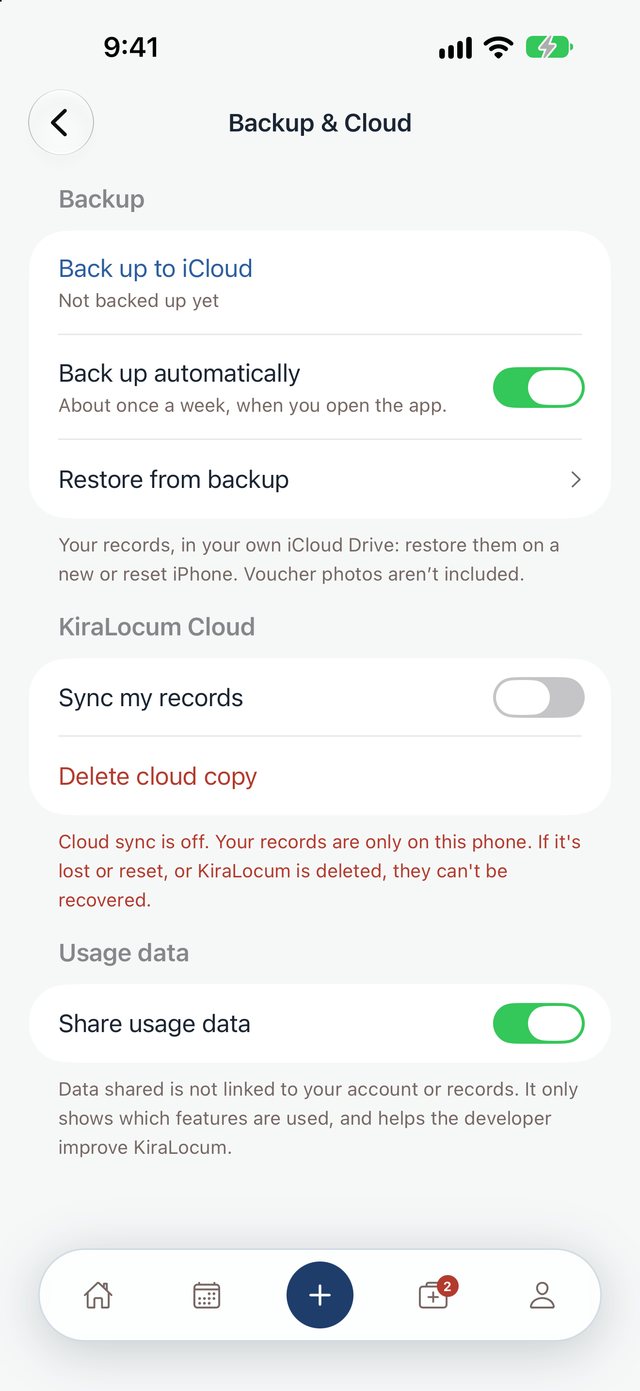
Backed up, and private
Records stay on your phone and back up to your own iCloud Drive or Google Drive. Cloud sync is your choice.
- widgets Three Home Screen widgets
- timer Live Activity on the Lock Screen, Dynamic Island and CarPlay
- notifications Reminders when a clinic is late to pay
Free to start. Upgrade when you outgrow it.
No client logins, no hidden tiers, just more room once you need it.
- ✓ Sessions, rate cards, allowances & calendar sync
- ✓ Per case & commission pay, rosters
- ✓ Up to 4 clinics, 2 payment accounts
- ✓ Owed & aging dashboard, late payment reminders
- ✓ Expenses, zakat & KWSP calculators
- ✓ Widgets & backup to your own drive
- ✓ This year's earnings history
- ✓ Everything in Free
- ✓ KiraLocum Cloud: back up & sync across devices
- ✓ Unlimited clinics & payment accounts
- ✓ Full multi-year earnings history
- ✓ Invoices, shared as PDF or image
- ✓ LHDN tax estimate, with zakat taken off
- ✓ CSV / PDF export
- ✓ Everything in Plus, forever
- ✓ One-time purchase, no renewal
- ✓ Future Plus features included